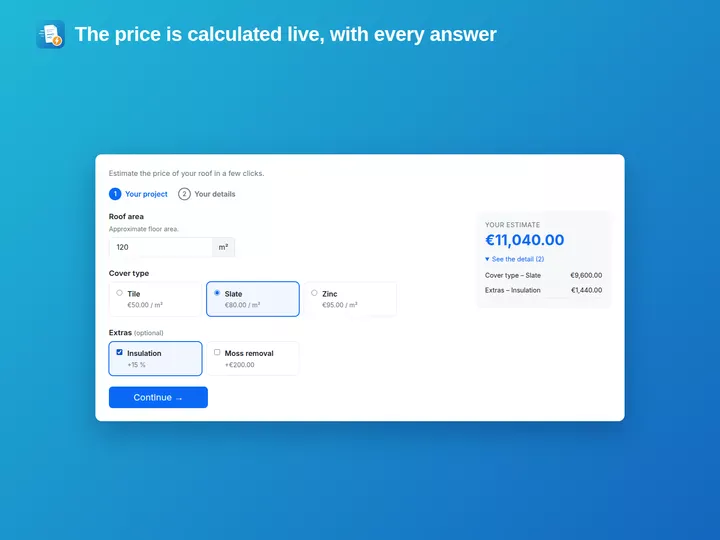
Your prices depend on the project? Show them anyway.
Roofing, joinery, signage, printing, made-to-measure furniture, events… When the price depends on the customer’s needs, most stores settle for a “contact us for a quote” form. Visitors leave with no idea of the budget, and you receive a vague message that takes several emails to complete.
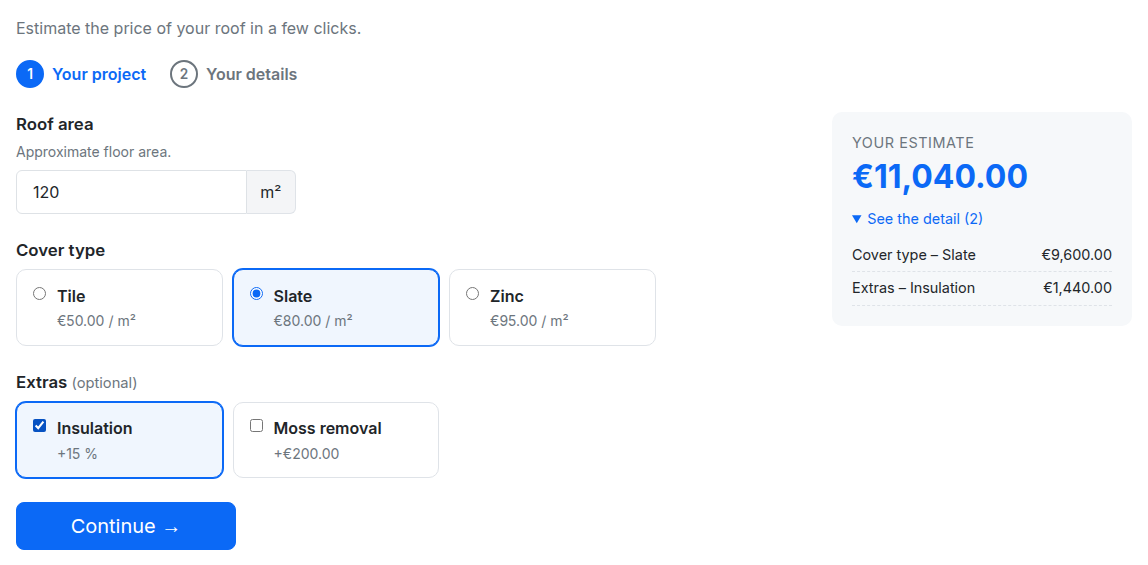
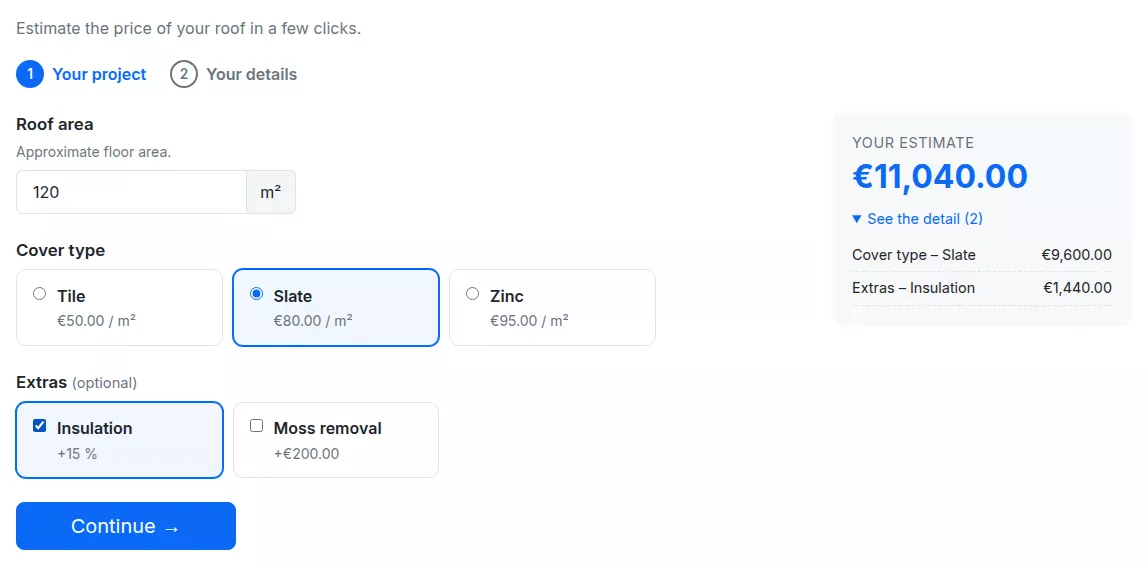
Live Quote Builder replaces that contact form with a guided quote form. Customers answer a few questions (area, quantity, material, options…), watch their estimate update with every answer, then send a complete request. You adjust it if needed, send the final quote, and the customer can order it online, like any other product.
A complete form builder
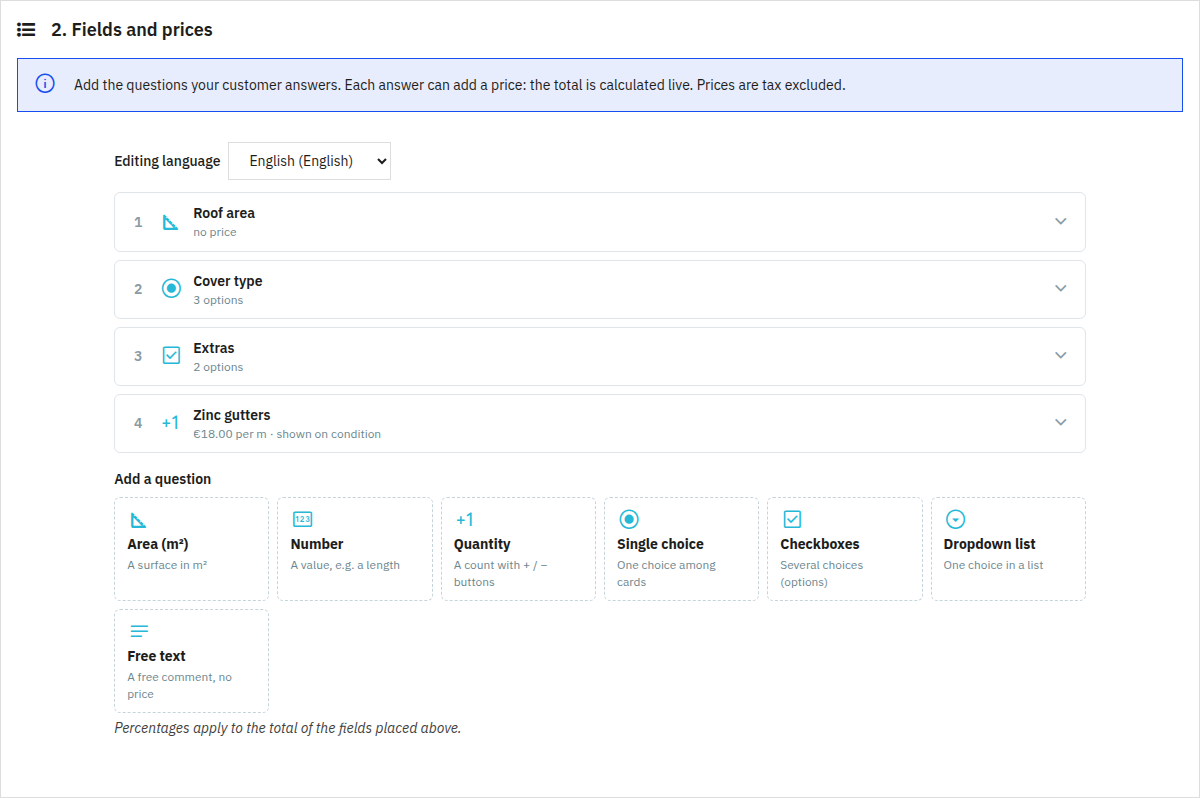
Forms are created in Sell › Quotes › Quote forms, without code.
Seven question types: number, area (m²), quantity with + / − buttons, dropdown list, single choice cards, checkboxes and free text. Each question can have a help text, a default value, a minimum, a maximum and a unit.
Five ways to price an answer:
| Mode | Example |
|---|---|
| Price per unit entered | €45 per m² × 20 m² = €900 |
| Price × another answer | Slate at €80 × roof area |
| Fixed amount | Moss removal: + €200 |
| Percentage of the total | Insulation: + 15% |
| No price | Information passed on without an amount |
Conditional prices: “if the area is greater than 100 m², then €40 per m²”. Conditional questions: only show “Gutter length” when the customer chose zinc. A hidden question is neither counted, nor required, nor saved.
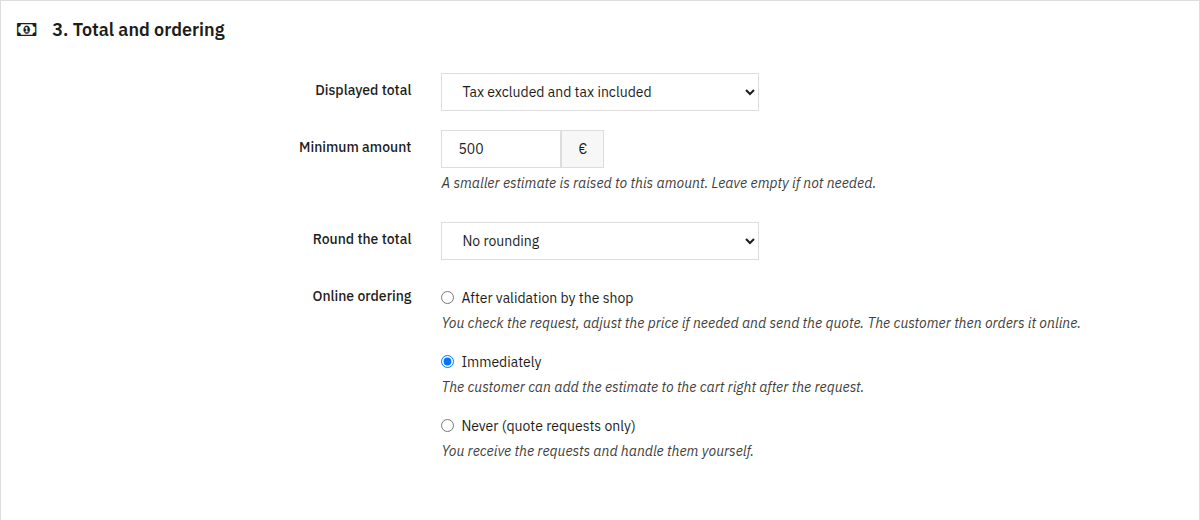
For the total, you choose to display it tax excluded, tax included or both, set a minimum and maximum amount, and a rounding rule (nearest unit, or up to the next 5, 10, 50 or 100). A form can be duplicated in one click.
Display the form wherever you want
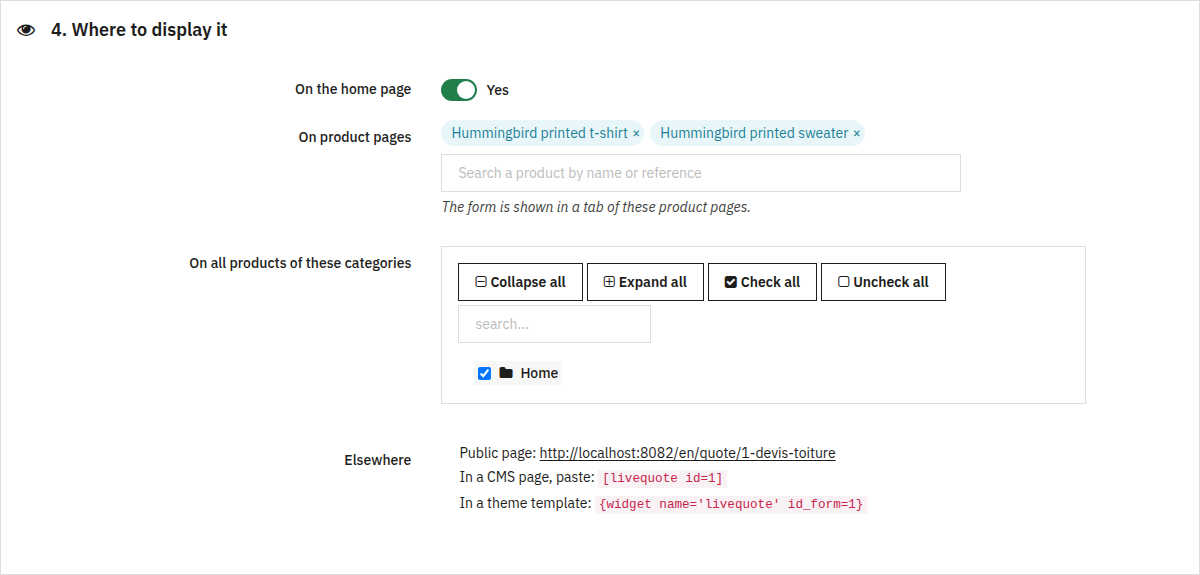
- in a tab of selected product pages, or of every product in a category;
- on the home page;
- on a dedicated page with a clean URL (
/en/quote/1-roofing-quote); - in a CMS page with the shortcode
[livequote id=1]; - anywhere in your theme with
{widget name='livequote' id_form=1}.
From requests to quotes, then to orders
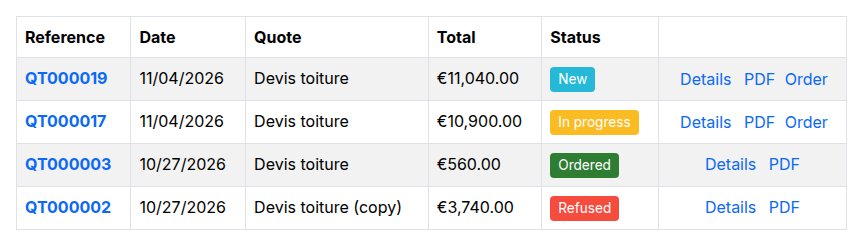
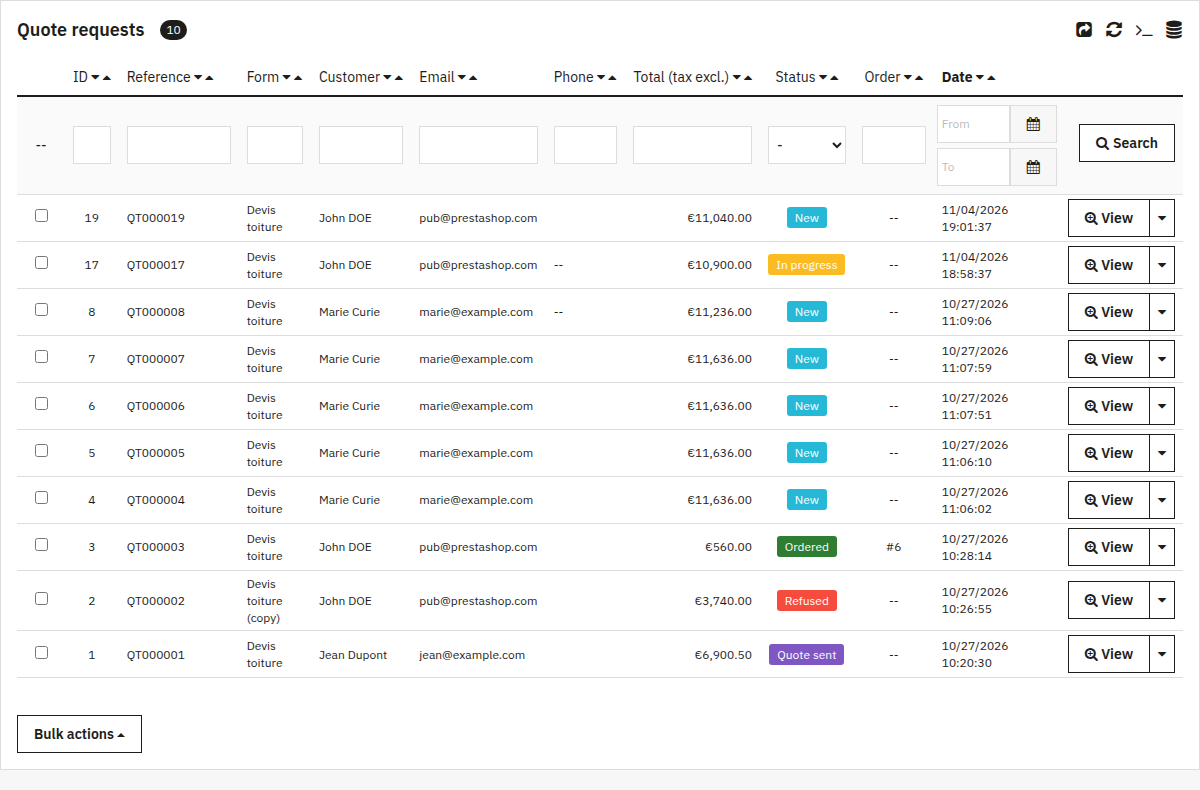
Each request arrives in Sell › Quotes › Quote requests with all the customer’s answers and the calculation details. Statuses show where it stands: New, In progress, Quote sent, Accepted, Refused, Ordered.
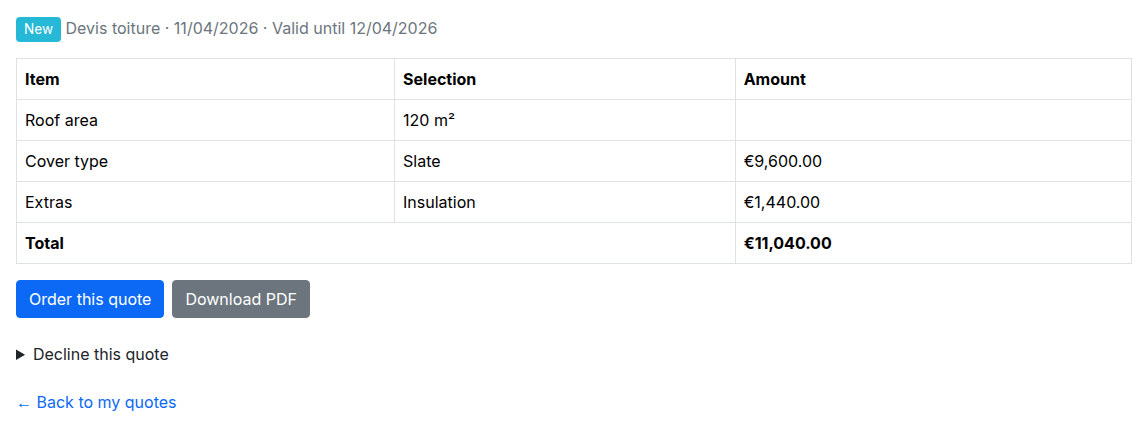
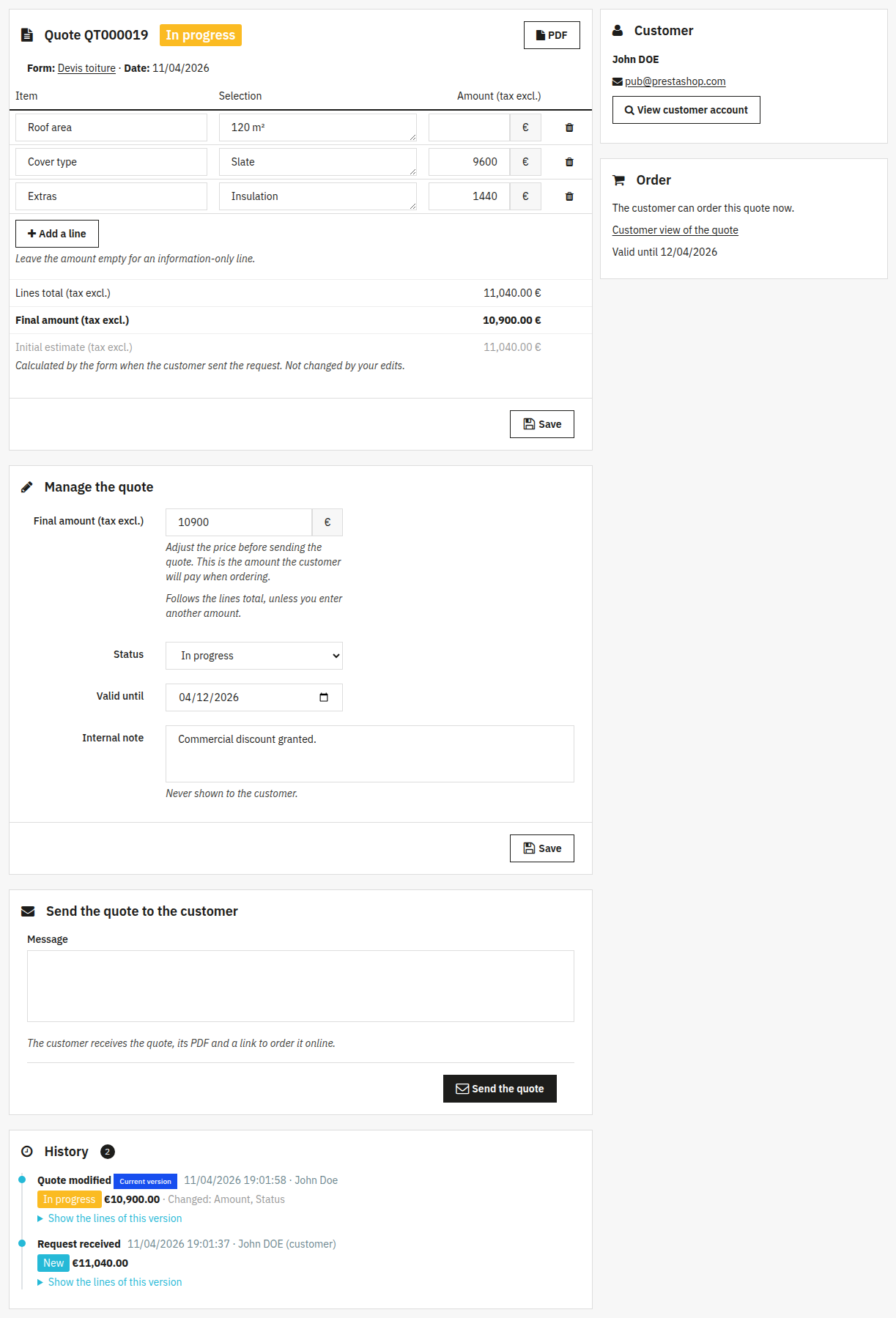
On the request page you can edit the lines, add new ones, adjust the final amount, set a validity date and keep an internal note. The initial estimate stays visible for comparison. One click on Send the quote emails it to the customer with your message and the PDF attached.
Every change creates a version (date, author, what changed) that you can restore.
Online ordering
This is what sets the module apart: the quote becomes orderable. Depending on the form, the customer can order:
- after validation by the shop: you check, adjust the price, send the quote, then they order;
- immediately: they add their estimate to the cart right after sending the request;
- never: you handle the requests yourself.
The quote is added to the cart at the exact quoted price, with its reference. Several quotes can sit in the same cart, and the price is checked again until the order is placed. Once ordered, the quote switches to Ordered and the order is linked to it.
The customer journey
- The customer answers the questions and sees a detailed estimate in real time.
- They enter their details and send the request.
- They receive a confirmation email with a secure link to their quote.
- From the quote page, they download the PDF, order it or decline it with a reason.
Logged-in customers find all their quotes in My account › My quotes. A request sent without an account joins the customer’s account as soon as they open the link while logged in.
Security and compliance
- Price recalculated on the server: the amount shown in the browser is never trusted as is.
- Spam protection: invisible honeypot field, form token, minimum filling time, limits per IP address and per email address.
- Quote access protected by a random secret key.
- GDPR: consent checkbox and data export / erasure with the official
psgdprmodule. IP addresses are erased after 30 days. - Legal retention: an ordered quote is locked and kept for 6 years, like the order it supports.
Technical details
| Compatibility | PrestaShop 8.0 to 9.x |
| Languages included | French, English (multilingual forms) |
| Multistore | Yes, forms assigned per store |
| Emails | Merchant notification, customer confirmation, quote sending (FR / EN templates) |
| Export | CSV of requests, PDF of each quote |
| Updates | Through the module manager, data kept |